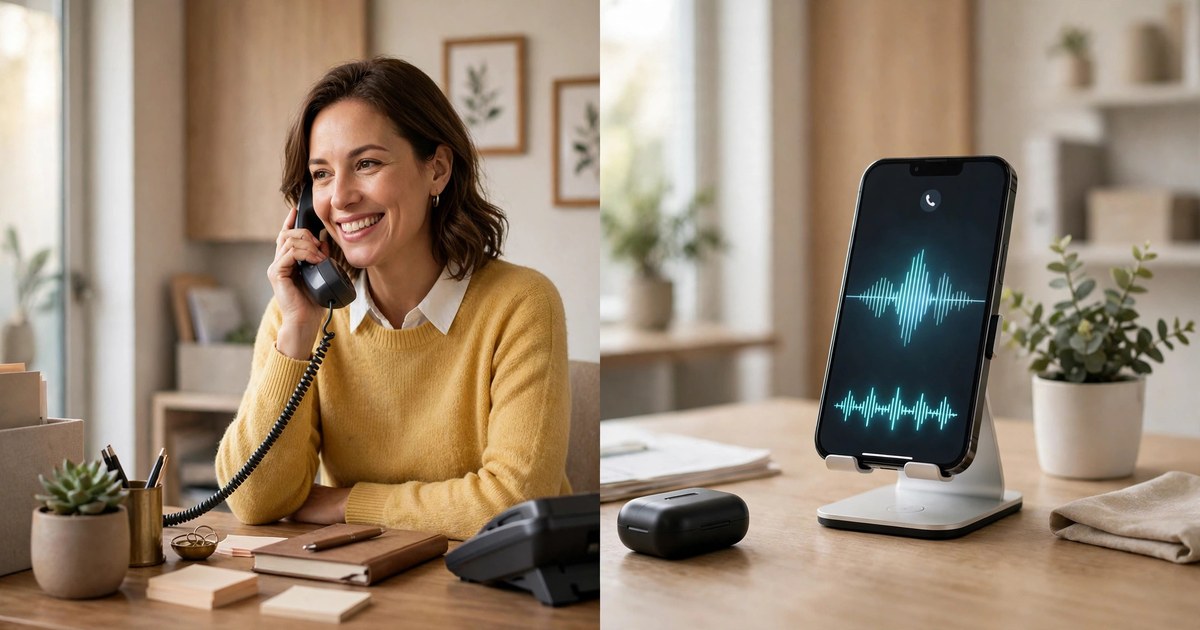
Dana runs Northside Heating and Cooling, a small firm outside Columbus, Ohio, with two vans, three engineers, and one phone line that rings at the worst times. Last Tuesday it rang while she was on a roof checking a flue, and again while she was pricing a boiler swap. By the time she climbed down, there were four missed calls and one voicemail: "Hi, our heat is out and it is twelve degrees. Can someone come today?" She called back in nine minutes. No answer. The family had booked the next firm on Google, and Dana had lost a $340 call-out. This article is the maths she needed that evening.
An AI receptionist wins on cost and cover, while a human wins on warmth, judgement and awkward calls. For most businesses the best answer is both: the AI takes the first ring, books the routine calls and passes anything emotional, urgent or valuable to a person. That split keeps every caller answered without paying a full-time salary for quiet hours.
If you only want the money side, our AI receptionist cost guide for small business works through vendor prices and hidden fees line by line. This article is the decision itself: what each option does, what it costs, where it fails, and which one fits your trade.
What is an AI receptionist, really?
An AI receptionist is a voice assistant that answers your business phone line, talks with the caller in plain language, answers routine questions from notes you give it, books into your calendar, sends a text confirmation, and passes the call to a person when the conversation needs one.
That is the whole job, and the dull parts matter most. It does not sleep, take lunch, or call in sick. It picks up on the first ring at 2 in the afternoon and at 2 in the morning, and it can talk to five callers at once, which no single human can do. Every call starts the same way, polite and patient, because it reads from the notes you wrote rather than from a mood.
The old phone menus people hate are not this. A voice assistant holds a conversation instead: a caller says the boiler is banging and there is water on the floor, and the assistant asks where the water is and whether this is an emergency visit or a morning slot. It is a checklist with a voice.
There is a limit worth naming early, because every honest comparison in this article turns on it. The assistant only knows what you wrote down. If your prices, your service area, and your booking rules are not written anywhere, the assistant will repeat whatever it was told, including the parts that are out of date. Skip that setup work and the assistant will frustrate callers faster than voicemail ever did. Do it well and callers often cannot tell they are not talking to a person, which is why the assistant should always say at the start of the call that it is an automated helper. Honesty there costs nothing and buys trust.
If you want the fuller picture of what the technology does before you compare it with a human, read our AI phone receptionist guide for small business first. It walks through the same idea from the technology side, while this article stays on the choice.
What does a human receptionist actually do all day?
A good human receptionist does far more than answer the phone, and any fair comparison has to count all of it. She greets people at the door. She knows Mrs Alvarez prefers a morning slot and that Mr Chen always pays by card at the desk. She spots the worry in a caller's voice and slows down. She juggles the diary, the deliveries, and the engineer who is running late, all at once, with a smile the regulars remember.
That memory is the human edge. A receptionist of five years recognises a voice, remembers the dog's name, and knows which customer always pays late but always pays. She can tell an angry caller from a scared one and changes her tone without being told. When a loyal customer rings at 4.55pm with a small problem, she does not quote the policy. She fixes it.
But the human day has hard edges too. One person covers about 40 hours a week, and there are 168 hours in a week, so roughly three quarters of the week has no cover at all. Lunch, holidays, and sick days all leave the phone unanswered. When two calls arrive at once, one of them waits. And a good receptionist is not cheap to keep. The US Bureau of Labor Statistics puts the median annual wage for receptionists at $38,010 as of May 2025, about $18.27 an hour, and that is wages alone before the employer's extra costs on top.
The honest summary is this. A human receptionist is brilliant at the human parts of the job and absent for most of the week. An AI receptionist is present for all of the week and weak at the human parts.
AI vs human vs answering service vs IVR: the four-way table
Most comparisons stop at two options, and that is why they mislead. In real life there are four ways to answer the phone. Here they are side by side, judged on the things that actually decide the matter.
Monthly cost at 80 calls: AI receptionist — $80 to $250 all-in for most small firms; Human receptionist — About $3,168 a month in wages alone at the $38,010 median, before employer costs; Outsourced answering service — $250 to $600 once overages land; IVR phone menu — $20 to $100 for the phone system, plus your own time.
Hours covered: AI receptionist — 24 hours, every day; Human receptionist — About 40 hours a week; Outsourced answering service — Evenings often end early, weekends extra; IVR phone menu — 24 hours, but only as a menu.
First ring: AI receptionist — Yes, every call, several at once; Human receptionist — One call at a time, the rest wait; Outsourced answering service — Yes, while staff are on shift; IVR phone menu — Yes, but callers must press buttons.
Books into your calendar: AI receptionist — Yes, while the caller is on the line; Human receptionist — Yes, and can juggle changes; Outsourced answering service — Yes, if you pay for that tier; IVR phone menu — Rarely, usually just takes a message.
Warmth and judgement: AI receptionist — Weak, reads from notes; Human receptionist — Strong, knows your regulars; Outsourced answering service — Mixed, strangers reading a script; IVR phone menu — None.
Handles an angry caller: AI receptionist — No, must hand off fast; Human receptionist — Yes, the best option; Outsourced answering service — Fair, if the agent is trained; IVR phone menu — No, callers hang up.
Missed calls: AI receptionist — Near zero; Human receptionist — Evenings, lunch, holidays; Outsourced answering service — Low while staffed; IVR phone menu — Low, but callers often give up.
Setup effort: AI receptionist — A day of writing good notes; Human receptionist — Hiring, training, cover rotas; Outsourced answering service — A script and a handover call; IVR phone menu — An afternoon of recording menus.
One row deserves a second look: the human cost. That $3,168 a month is median wages alone, and it buys 40 hours of cover a week. The AI band of $80 to $250 buys all 168 hours. The gap tempts people to treat the decision as settled, but the table also shows what the AI cannot do.
What does each option really cost at your volume?
Dana's firm takes about 80 calls a month, and the average call lasts three minutes. Here is the maths for each option at that volume, with every figure traceable to a public source so you can check it.
Want this running on your website?
ReplyPilot builds the whole flow for you — capture, qualification, routing and follow-up — trained on your business and tested before it goes live, with a free custom demo before you decide anything.
Ask on WhatsApp — it's freeThe AI receptionist first. Goodcall lists plans from $79 to $299 a month, billed by unique callers rather than minutes, according to public pricing pages checked in October 2026. Smith.ai lists a free tier of 25 calls a month and a Pro plan from $150 a month for 75 calls, with per-call overage charges. Retell, the voice platform underneath many AI receptionists, lists $0.07 to $0.31 a minute depending on the voice and model chosen. A firm like Dana's lands at $80 to $250 a month all-in for most plans, and the worked example in our cost guide shows a $79 headline plan becoming a $131 real bill once overages, texts, and a Spanish add-on are counted. Price your busiest month, not your average one, because overage rates run two to four times the in-plan rate. An independent comparison from Tha Nexa Solutions reaches the same range from the same public pages, and it is worth reading alongside this article because it also recommends the hybrid setup.
The human receptionist next. At the Bureau of Labor Statistics median of $38,010 a year, wages alone come to $3,168 a month. A part-time hire at 20 hours a week, at the same $18.27 an hour, costs about $1,580 a month in wages alone, and covers only half the working week. A part-timer costs roughly ten times the AI plan and still leaves evenings and weekends uncovered.
The answering service sits between them. Entry plans start around $200 to $350 a month for limited call bundles, and real bills at 80 calls a month run $250 to $600 once overages land. Humans answer, which is the attraction, but every extra call has a price tag.
The IVR menu is the cheapest line on the page and the most expensive in lost callers. The system costs little, but a menu never books a job by itself.
Dana's own maths, on one page, looked like this. AI receptionist, $131 a month, covering every hour. Part-time human, about $1,580 a month in wages, covering 20 hours a week. Answering service, about $300 to $400 a month, covering office hours. Full-time human, $3,168 a month in wages before employer costs. The AI was ten times cheaper and always there. The question became whether the calls it could not handle were worth $1,450 a month extra. For Dana, most months, they were not.
What does a missed call actually cost?
A 2016 study by 411 Locals tracked 85 small businesses across 58 industries for 30 days and found only 37.8 percent of calls were answered live. The rest went to voicemail or nowhere at all. That study is ten years old, and phone habits have changed since, but the shape of the problem has not. Most callers who get voicemail simply ring the next firm on Google instead of leaving a message.
Dana's Tuesday is the arithmetic. Four missed calls, one voicemail, one $340 call-out lost. If her average job is worth $340 and she misses twelve calls a month, the revenue at risk is $4,080 a month. Not every missed caller would have booked, of course. Say only a third would have. That is still $1,360 a month walking to a competitor, against an AI plan costing $131. Even if only one in ten missed callers would have booked, the AI still pays for itself ten times over at her volume.
The phone also has terrible timing. It rings mid-consultation, mid-quote, mid-handshake with the customer in front of you. Pick it up and the person in the room feels brushed aside. Leave it and the caller feels brushed aside. An AI on the first ring takes that daily tug-of-war off your plate, and the day feels calmer for everyone.
Small businesses in the US are adopting this kind of help fast. A 2025 survey by the US Chamber of Commerce found 58 percent of small businesses said they use generative AI, up from 40 percent a year earlier. Answering the phone is one of the first jobs owners hand over, because it is repetitive and time-sensitive. If your competitors answer at 9pm and you do not, the gap shows up in bookings within weeks.
Wondering what happens to the leads the AI collects, and how they turn into booked work, is the natural next question. Our lead capture automation guide walks through that step in plain words, from the first message to the confirmed booking.
Where the AI wins, where the human wins, and the handover in between
Here is my honest opinion, after reading what the vendors say and what their own pages admit. The AI wins on speed, stamina, and sameness. It wins on the calls that follow a pattern: opening hours, prices, directions, a booking, a reschedule, a reminder. It wins at night, at lunch, and in a storm week when five calls arrive at once. A human wins on judgement, warmth, and the unexpected. A caller who is upset, confused, or spending serious money needs someone who can listen, ask the right follow-up, and decide what matters most. No script covers that yet, and pretending otherwise is how businesses lose their best customers.
The handover is where the two halves meet, and it is the part to get right before anything goes live. Write the triggers down as rules, not as feelings. The AI passes the call to a person when the caller asks for one, when the caller is upset, when the caller describes an emergency, when the question has no approved answer, and when the job is worth enough that a human voice earns its keep. Gas smells, sparking panels, water pouring through a ceiling, a patient describing symptoms, a client disputing a bill: all of those go to a person at once, with no troubleshooting first. The AI should also say, at the start of every call, that the caller is speaking to an automated helper.
There is one more habit that separates the owners who love their AI from the ones who quietly switch it off. Give the first two weeks a listen. Play back a few calls each evening, fix the wrong answers, and add the questions callers actually ask that you forgot to write down. Two weeks of that and the system settles into something reliable.
Which option fits your trade?
The right answer changes with the trade, because the calls change. Here are four picks, each with the reasoning, so you can see which one looks like your business.
Dental clinics should run the hybrid from day one. Most calls are routine: opening hours, a check-up booking, a reminder, a question about parking or payment. The AI takes those cleanly. But anything clinical stays with a person. A patient describing pain or a symptom must never be triaged by software, and reminders should go out over WhatsApp where patients actually read them. A South African firm called Cognexa, which builds AI receptionists for dental and medical practices, makes the same point in its guide to AI receptionists for dental and medical practices.
Trades firms, plumbers, electricians, heating engineers, and roofers, should give the AI the first ring and keep humans for the emergency judgement. Trade calls are spiky: a storm week can triple volume without warning, and a flat monthly AI plan absorbs that spike while a human service charges for every extra call. The AI asks the triage questions, books the visit, and passes anything urgent straight to the engineer on call.
Medspas should treat the AI as the front door, not the clinician. Clients ask about Botox pricing in general terms, the difference between Botox and filler, how long a visit takes, and whether a patch test comes first. The AI can answer those in plain words and book a deposit-backed consult, and it must step aside the moment a question turns clinical. Our AI chatbot for medspa article walks through that exact flow, from the first Botox question to the booked chair.
Law firms should be the most careful of the four. Intake calls are often emotional, confidential, and time-sensitive, and a wrong answer can cost a case or a client. The AI can take the call, capture the caller's details, and book a consultation. It should never give legal advice, never promise an outcome, and never keep a caller talking when a solicitor should take over.
Setting up the hybrid so callers never feel fobbed off
The setup that works best is boring, and that is a compliment. The AI answers first, every time. It books the simple calls. It passes the rest to a person, fast, with the notes already taken so the caller does not have to repeat herself. If the firm is closed, the AI says when staff will reply, and it still books the visit or takes a clear message. A failed handover feels worse than no AI at all, because the caller thought help was near and then hit a wall.
ReplyPilot builds AI chat agents for local businesses that answer customer messages on WhatsApp, Instagram and the web. For a business weighing this choice, that kind of helper fits naturally at the demo stage, where a person has read the comparison in this article and now wants to hear the AI answer a real call. ReplyPilot setup is $249, made up of a $125 deposit and $124 at go-live, with a Care Plan at $99 a month. If you want to hear the difference between the AI and a human for yourself, the natural next step is to book a ReplyPilot demo and walk through a receptionist call with your own questions, before you decide anything.
Set the voice and the words before you go live. Give the assistant your business name, your hours, your service area, and the answers to the ten questions callers ask most. Tell it what it must never guess at, and whose phone a transfer rings at each hour of the day.
How to test an AI receptionist before you buy
Never buy on a polished demo call. Vendors rehearse those. Test with your real scenarios instead.
Call from a noisy street and ask the odd question your regulars really ask. Then book an appointment, shift it, and cancel it in a single call, and check the diary actually changed. Ask for a price the assistant should not quote, and see whether it guesses or books a consult instead. Say you want a person, and time how long the handover takes. Call twice at once from two phones, and see whether the second caller waits. Ask the person who will actually use the tool every day to join the trial. They notice the friction the buyer never sees.
Then put these five questions to every vendor, and write the answers down side by side. What will I pay in my busiest month, with every extra included, and will you put that figure in writing? Can I start month to month, and what does it cost to leave? Can I hear genuine call recordings from firms like mine, not the rehearsed demo? How are minutes counted, and what do extra minutes cost? What happens when the assistant hits a question it cannot answer? The answer you want is a quick, polite pass to a person, not a confident guess. If a vendor hedges on any of these, that hedging is your answer.
Frequently asked questions
Is an AI receptionist cheaper than a human receptionist?
Yes, and the gap is large. AI plans run $80 to $250 a month all-in for a typical small business, while median receptionist wages alone are $38,010 a year, about $3,168 a month, before employer costs. The AI also covers evenings and weekends, which a single human cannot.
Can an AI receptionist replace a human receptionist completely?
Not completely, and any vendor who says so is overselling. The AI replaces the coverage, the routine bookings, and the after-hours answering. It does not replace warmth, judgement, or the handling of angry, upset, or high-value callers. Most businesses get the best return from the hybrid.
What happens when a caller is angry or has an emergency?
A good setup passes the call to a person at once, with no troubleshooting first. Emergencies, complaints, callers who ask for a person, and questions with no approved answer are all handover triggers.
Does an AI receptionist work for a dental clinic or a medspa?
Yes, for the front-desk calls, with a clear limit. It can book, move, and cancel appointments, answer routine questions, and send reminders. Anything clinical stays with a licensed professional.
How do I know if an AI receptionist is worth it for my business?
Count last month's missed calls and multiply by the share that would have booked, then compare that figure with the monthly AI price at your volume. If you miss even a handful of calls a month, the maths usually favours the AI.
Dana did not hire the part-timer. She put the AI on the first ring, wrote the handover rules on one page, and kept her own phone free for the calls that needed her judgement. The Tuesday roof calls now get answered, booked, and confirmed by text while she is still on the roof. If you want to hear that setup with your own questions in mind, book a ReplyPilot demo and walk through a receptionist call for your trade before you decide.