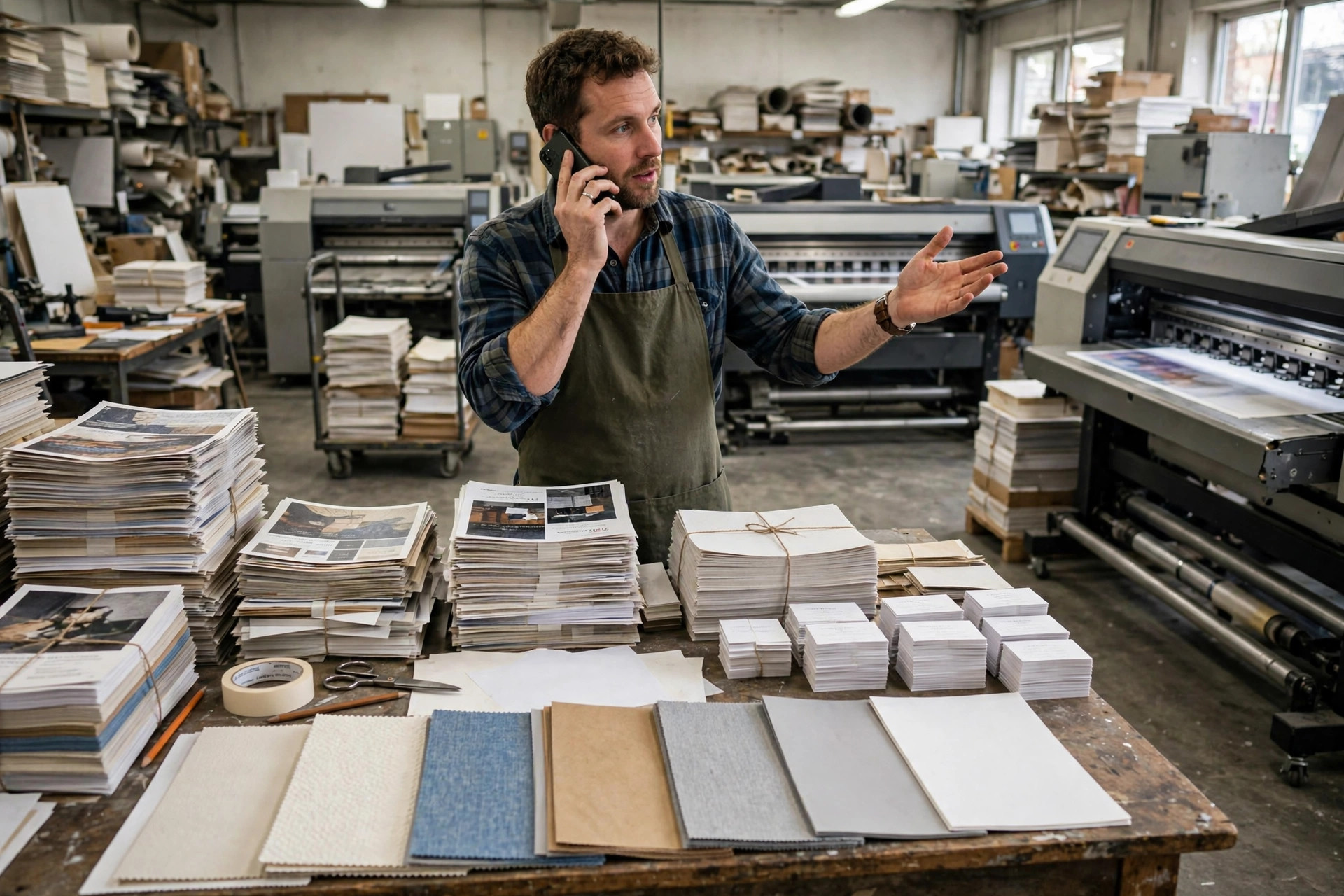
It is Tuesday morning and your big printer is finally running at full speed. Your phone rings. "How much for 500 flyers, A5, both sides?" You shout the number over the machine noise and promise to send details. It rings again before you hang up. "Can you print my wedding cards? I have the design on my phone." Meanwhile three WhatsApp messages sit unread: a restaurant wants a price for 1,000 menus, someone sent a blurry logo asking "can you fix this?", and a regular is asking if his banners are ready. WhatsApp automation for print shops is a messaging system that gives instant quotes, collects design files, and sends order status updates — all inside WhatsApp, without you touching the phone. For print shops, the best approach is a quote bot wired to your real price list plus automatic file collection, because print customers always ask "how much" first and send their files second, and both steps work perfectly in a chat. This article shows you the whole setup: instant quotes that close, file collection without chaos, proof approvals that stop killing deadlines, and the honest limits of automation.
Why Print Shops Already Live on WhatsApp
Walk into any small print shop and look at the owner's phone. It is the business. Quotes arrive as WhatsApp messages. Design files arrive as WhatsApp attachments. "Is it ready?" arrives as WhatsApp voice notes. Customers chose the channel years ago — most print shops just never built systems for it, so the owner becomes the system, answering the same questions between print runs.
That is exactly why automation fits print shops better than almost any other trade. You do not need to convince customers to use a new app or visit a portal. They are already messaging you. Automation just means the repetitive half of those messages — the quotes, the file requests, the status updates — answers itself, while you handle the printing. Same channel, same customers, half the interruptions.
The alternative is what most shops do now: quote from memory, lose files in chat history, and discover at 6 pm that the "urgent" job was approved at noon but nobody saw the message. Every one of those is a small failure that automation prevents. Print is a deadline business, and deadlines die in unread messages.
The voice-note problem deserves its own mention. Print customers love sending three-minute voice notes describing what they want — while you are running a machine and cannot listen. Automation can acknowledge instantly ("got it, I'll have the details for you shortly") and, better, steer customers toward structured answers: "Quick questions so I quote you right — what size, how many, when do you need it?" You still listen to the voice note later, but the quoting does not wait for you. The customer feels heard immediately, and you reply when your hands are free.
How does instant quoting work on WhatsApp?
An instant quote bot asks four questions — what are you printing, what size, how many, and when do you need it — then replies with the exact price from your list in under a minute. "500 A5 flyers, double-sided, 170gsm gloss, ready Thursday — here's your price." The customer either says yes or tweaks the quantity. No phone call, no "I'll get back to you," no losing the customer to the shop that answered first. Speed wins quotes the way location wins retail.
The quote must come from your real price list, not a guess. Build a simple pricing table — product, size, paper, quantity breaks, turnaround options — and the bot reads from it. When a request falls outside the table, like foil stamping or a billboard, the bot says so honestly and routes it to you: "That's a custom job — the owner will price it personally within two hours." A bot that knows its limits beats a bot that invents numbers, because one wrong quote becomes either a loss-making job or an angry customer.
- **Product:** flyers, business cards, banners, menus, stickers, wedding cards — the jobs you quote daily.
- **Size and paper:** A5 or A4, gloss or matte, standard or premium stock — the options that change the price.
- **Quantity:** with your real quantity breaks, so 1,000 costs sensibly less per piece than 100.
- **Turnaround:** standard vs. rush — and the rush fee stated upfront, never as a surprise.
Collecting Design Files Without the Chaos
Every print shop knows the file dance. The customer says "I'll send the design," then sends a screenshot. Then a Word file. Then a photo of their business card taken at an angle. Then the real file, in the wrong size, three days later. Automation turns this chaos into a checklist: after the quote is accepted, the bot asks for the file with exact specs — "PDF, A5 plus 3mm bleed, CMYK" — and shows an example of right vs. wrong.
The magic is in the validation step. When the file arrives, the bot confirms receipt instantly and runs the basic checks: is it the right format, the right size, high enough resolution. If something is off, it says so immediately with plain instructions: "This looks like a screenshot — can you send the original PDF from your designer?" Catching a bad file at 10 am beats discovering it at 4 pm when the job was supposed to print. Tools like ReplyPilot (AI automation for small-business messaging — WhatsApp, Instagram DM, website chat) can wire these file-collection checklists into the same chat where the quote happened, so nothing gets lost between conversations.
Proof Approvals: The Bottleneck That Kills Deadlines
Here is where print jobs actually die: the proof sits in the customer's inbox for two days, the deadline does not move, and suddenly a Thursday job becomes a panic. Automation fixes this with structured proofing. The bot sends the proof as an image in WhatsApp — where the customer will actually see it — with two big buttons: Approve or Request Changes. No email attachments, no "did you see my message."
Then it follows up like a polite assistant with a deadline. Four hours, no reply: a gentle nudge. Next morning, still nothing: "Just checking — we need approval by noon to hit your Thursday deadline." Customers do not ignore these, because the consequence is stated kindly and clearly. And every approval is logged with a timestamp, which ends the classic dispute: "I never approved that color." Yes, you did — Tuesday, 2:14 pm, right here in the chat.
What should automation do when a file is not print-ready?
This is the question that separates good print automation from an expensive mess. When a customer sends a low-resolution image or the wrong format, the bot must do three things: spot the problem, explain it in non-designer words, and offer the fix. "This image is 72 dpi, and print needs 300 — it will look blurry. Can you ask your designer for the high-resolution version? Or our designer can rebuild it for a small fee." Problem, plain explanation, two options.
Never let the bot silently "fix" a bad file and print it. Auto-converting a blurry RGB screenshot into a CMYK PDF does not make it print-ready — it makes it a blurry print with your name on it. The bot flags, the human decides, the customer approves. That chain of responsibility is what keeps your reputation intact when files are messy, which is most of the time.
Order Status Updates That Stop the "Is It Ready?" Calls
"Is it ready?" is the print shop's version of "are we there yet?" — asked constantly, answered from memory, interrupting real work every time. Automation ends it with proactive updates at every stage: file received, proof sent, proof approved, printing, ready for pickup. The customer watches the job move without asking, because the bot tells them before they wonder.
The ready-for-pickup message is the most valuable one. "Your 500 flyers are ready — pickup today until 7 pm, or we can deliver tomorrow morning." Include the address, the hours, and what to bring (the balance, if any). Half of pickup delays happen because the customer did not know the shop closed at 6. One message prevents the wasted trip and the annoyed call. These update flows run on standard business messaging templates — Meta's WhatsApp Business Platform documentation describes exactly how order updates and notifications work officially.
Which jobs should you automate first?
Start with your five most-quoted jobs. For most shops that is flyers, business cards, banners, stickers, and menus — the bread and butter that arrives daily and follows the same pattern every time. Automate those five quote flows completely, and you will feel the difference in the first week: fewer interruptions, faster quotes, fewer lost customers.
Want this for your print shops?
ReplyPilot builds a custom whatsapp automation setup for your print shops — answering customer questions instantly, taking orders and bookings, and handing off to you when a human is needed.
Ask on WhatsApp — it's free- **Automate now:** standard products with fixed specs — flyers, cards, banners, stickers. Same questions every time.
- **Automate next:** proof approvals and status updates for all jobs. Every job benefits, whatever the product.
- **Keep human:** custom work — foil, embossing, large format, odd sizes. Judgment and pricing nuance live here.
- **Keep human:** design services. The bot collects the brief; the designer does the designing.
Setting It Up for Your Print Shop: The First 30 Days
You do not need to automate the whole shop at once. Start with quotes for your top five products — that alone will change your days. Then add file collection, then proof approvals, then status updates. Each layer removes a different interruption, and each one works the day you switch it on. Most shops are fully running within a month.
- **1. Write your price table.** Your five most-quoted products, every size and quantity break, standard and rush turnaround. This table is the brain.
- **2. Build the quote flow.** Four questions — product, size, quantity, deadline — then the price. Test it on your own phone.
- **3. Add file collection.** Exact specs per product, an example of right vs. wrong, and instant confirmation on receipt.
- **4. Build proof approval.** Proof as an image, Approve or Request Changes buttons, and follow-up nudges with deadlines.
- **5. Turn on status updates.** File received, proof sent, printing, ready for pickup — automatic at every stage.
- **6. Read the first month of chats.** Fix every wrong quote, tighten the file specs, then let it run.
Shop owners who would rather run their printers than build chatbots hand this to specialists. ReplyPilot builds quote-and-order flows for trade businesses like print shops, and most owners start by requesting a free custom demo at https://replypilot-site.vercel.app/ to see their own price list quoting in a live WhatsApp chat before anything goes live.
Mistakes That Break Print-Shop Automation
The fatal mistake is an outdated price table. Paper costs shift, and a bot quoting last year's prices either loses you money on every job or forces awkward "actually, it's more" corrections that destroy trust. Update the table the day your costs change — it takes ten minutes and it is the single highest-leverage maintenance task in the whole system.
The second mistake is letting the bot approve proofs. Proof approval is a legal-ish moment — the customer accepting responsibility for the final print. The bot can deliver the proof and chase the reply, but the approval itself must be a clear human tap: "I approve this proof." Keep that line bright and explicit. The third mistake is no file-size limits — a customer sending a 2GB video "for reference" will clog the chat. State the limits upfront and offer an upload link for monsters.
The fourth mistake is automating the hello but not the follow-through. A bot that quotes brilliantly and then goes silent on file collection, proofing, and delivery has only moved the bottleneck. Automation must cover the whole job lifecycle — quote to file to proof to pickup — or the customer still ends up calling you mid-process. Map the full journey before you automate any single step, and make sure no stage is left to manual memory.
How Do You Know Your Print-Shop Automation Is Working?
Watch five numbers. Quote response time: from question to price, measured in seconds, not hours. Quote-to-order rate: how many quotes turn into paid jobs. Proof approval time: the hours between proof sent and approved should shrink hard. "Is it ready?" call volume: it should fall off a cliff. And reprint rate from file errors: catching bad files early should push it down. If those five move, the system is earning its keep.
Ignore vanity metrics. A thousand automated messages that produce the same number of jobs is just noise with better formatting. What matters is quotes answered in seconds, deadlines hit, and evenings without the phone ringing — the same outcome tailoring shops chase with WhatsApp automation for tailoring shops, where the order details are just as fiddly and the deadlines just as real.
What It Costs to Run
Same honest shape as every trade: setup once, then running costs tied to conversation volume. A small shop quoting a few dozen jobs a week costs very little to run. A busy shop in wedding season costs more — and every instant quote that beats a competitor's "I'll call you back" pays for weeks of running costs. Price it against the jobs it wins, not the software alone.
With WhatsApp Business updating its pricing in October 2026, print shops are doing the same math as everyone else: what does each customer conversation cost. Automation is the favorable side of that math — the bot quotes the hundredth flyer job exactly like the first, so your cost per quote falls as volume rises. And unlike a human quoter, it never has an off day, never forgets the rush fee, and never loses the file.
When a Human Must Step In
Automation has a clear fence, and custom work lives outside it. Foil stamping, embossing, die-cutting, vehicle wraps, anything the customer describes with "something like this but different" — these need a human who can look, think, and price with judgment. The bot's job is to recognize these jobs early and route them gracefully: "That's custom work — I'll get the owner, who prices these personally."
Design services stay human too. The bot can collect the brief — colors, text, vibe, examples — better than a phone call, because the customer answers at leisure and everything is written down. But the designing itself is craft, and craft is yours. The same split works in restaurants, as we covered in WhatsApp automation for restaurants: the bot takes the repeatable order, the humans do the skilled work. Print shops just have ink under their fingernails instead of flour.
The Rush Job: Pricing Urgency Without Losing Money
Every print shop knows the 5 pm message: "I need 200 programs by tomorrow morning. Can you do it?" Rush jobs are profitable and stressful in equal measure — profitable because of the rush fee, stressful because one misquoted rush job wrecks the next day's schedule. Automation handles the pricing part cleanly: the bot states the rush fee upfront, checks that the deadline is physically possible, and only then takes the order.
The key is the feasibility check. Before quoting, the bot confirms the two things that make or break a rush: is the file print-ready right now, and is there machine time tonight. If the file needs fixing, the bot says so immediately — "we can hit tomorrow morning only if the print-ready file arrives by 8 pm." Customers respect a bot that protects the deadline instead of promising miracles. A promised miracle that fails costs you the customer; an honest constraint that succeeds wins you a loyal one.
Log every rush job's real turnaround and review monthly. If your "24-hour" rush consistently takes 30 hours, the bot is overpromising — adjust the promise, not the complaint handling. Rush pricing only works when rush delivery is real. The shops with the best rush reputations are not the fastest; they are the ones whose bots never promise what the machines cannot deliver.
Repeat Business: The Customers Who Print Every Month
The best customers a print shop can have are the boring ones: the restaurant that reprints menus quarterly, the realtor who orders flyers monthly, the school that prints programs every term. They order the same thing, they pay on time, and they hate re-explaining the job. Automation makes reordering effortless: "Same 500 A5 flyers as last time? One tap to reorder." The customer taps, the file is already on record, the job prints.
Build reorder into the bot from day one. After each job, save the specs — product, size, paper, quantity, file — against the customer. Next time they message, the bot offers the repeat before asking anything: "Welcome back — reorder the March menus, or start something new?" This is the print-shop equivalent of a coffee shop remembering your order, and it locks in loyalty that no discount can buy. Switching shops means re-explaining everything; staying means one tap.
Nudge the regulars gently when their cycle comes around. The restaurant that orders menus every three months gets a friendly message at month three: "Time for fresh menus? Same specs as last time, ready in two days." Not pushy — helpful, and timed to their actual rhythm. Regulars who feel remembered do not shop around. The bot remembers so you do not have to, and the quiet recurring revenue stacks up month after month.
Frequently Asked Questions
How does instant quoting work on WhatsApp?
The bot asks four questions — product, size, quantity, and deadline — then replies with the exact price from your price table in under a minute. Standard jobs quote instantly; custom jobs route to you for personal pricing. The quote comes from your real numbers, never a guess.
What should automation do when a file is not print-ready?
It flags the problem in plain words, explains what is wrong, and offers the fix — send the right file or have your designer rebuild it. It never silently "fixes" a bad file and prints it. The customer approves the corrected file before anything goes to press.
How do proof approvals work?
The bot sends the proof as an image in WhatsApp with Approve and Request Changes buttons, then follows up politely until the customer responds. Every approval is timestamped in the chat, which ends disputes about what was approved. The approval tap itself is always the customer's explicit choice.
Will customers trust a bot with their print job?
They trust speed and accuracy. A quote in forty seconds with the right price beats a quote tomorrow with a phone call. And the bot hands off to you for anything custom or delicate — customers get automation for the routine and a human for the rest, which is exactly the split they want.
How do I keep the price table accurate?
Update it the day your costs change — paper, ink, turnaround fees. It takes ten minutes and it is the highest-leverage maintenance in the system. Review the bot's quotes monthly against real jobs, and fix any mismatch the same day you spot it. Small pricing errors compound into lost trust fast, so same-day fixes are the rule — the table is the brain, and the brain must stay accurate.