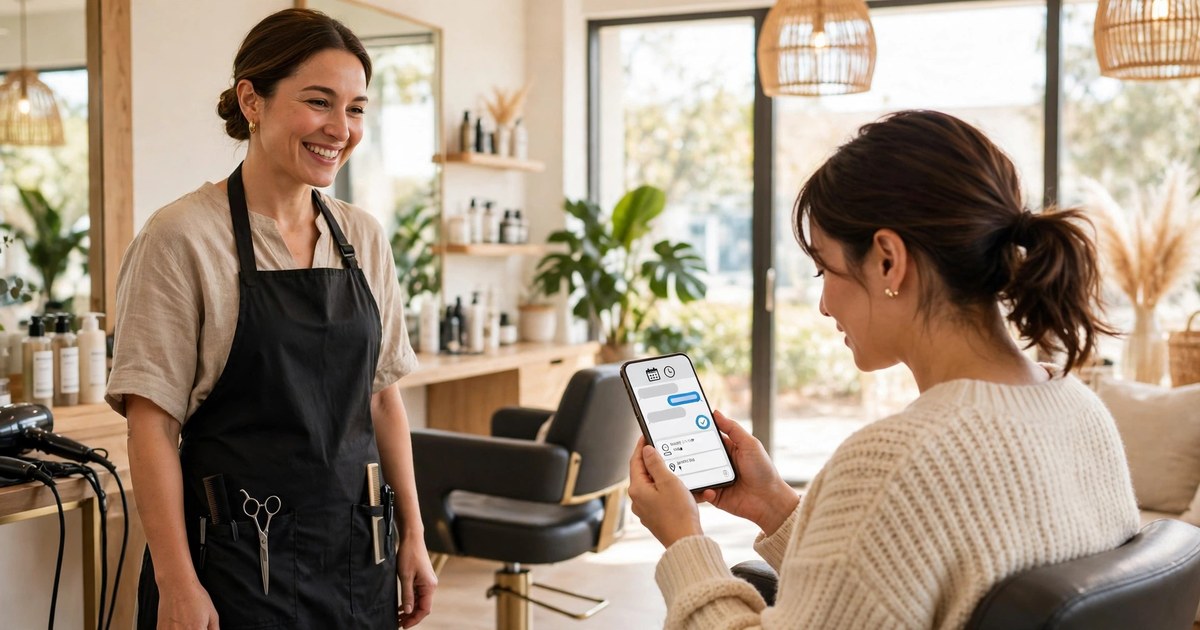
A website AI chatbot for salons answers visitors at any hour, books a service with a chosen stylist for the right length of time, takes a deposit where one is due, sends reminders, and refills cancelled chairs from a waitlist, so fewer bookings slip away while stylists are busy with clients.
Mia runs a small hair and beauty salon in Brisbane with three chairs and one beauty room. On a busy Saturday, her phone rings while she is rinsing colour, and the website enquiry form fills up while her team is back to back with clients. By Monday morning, two of those website visitors have booked somewhere else. They did not leave because Mia is dear or because her work is poor. They left because nobody answered while they were ready to book.
That is the gap this guide closes. It is about the salon website, not social media messages and not a barber shop queue. A visitor lands on the site, asks a normal question in plain words, and books a real appointment in chat. The stylists keep working. The chairs keep filling.
ReplyPilot builds AI chat agents for local businesses that answer customer messages on WhatsApp, Instagram and the web. The salon version of that idea lives on your website, where new clients already look at your services and prices before they decide.
For the wider picture, the best AI chatbots for small business guide compares the main options. The AI chatbot for gyms and fitness studios guide shows a different booking diary built on class times, and the WhatsApp automation for pressure washing companies guide shows the same first-reply idea in another trade. This article stays on your salon website, your services, your stylists, and your chairs.
Why salon bookings slip away while everyone is busy
A salon loses bookings in a very specific way. The busiest hours are also the hours when nobody can answer the phone. A stylist with foils in a client's hair cannot stop to take a booking call. A therapist mid-facial cannot step out to answer a price question. A solo owner cutting hair cannot do two jobs at once. So the phone rings out, the website form sits unread, and the visitor moves on.
Evening is the second leak. People plan beauty treatments after work, after the kids are in bed, and on Sunday nights when the week ahead takes shape. A Booksy study from 2024, reported in a salon chatbot guide, found that 42% of online beauty appointments are booked between 8 pm and 8 am, the very hours when no receptionist is on duty. That number matters because it tells you where the bookings go. They do not wait until morning. They go to the salon whose booking path is open at night.
A website chatbot fixes both leaks in the same way. It answers at once, it books in the same chat, and it follows up at the right time. It does not replace your team. It stands at the front door of your website so your team can stay with the client in the chair.
Here is my honest opinion, and it is one that only makes sense in a salon. In most businesses, a missed message is a lost sale. In a salon, a missed message is a lost hour that can never be sold again. A shop can sell a shirt tomorrow. A salon cannot sell last Saturday at 10 am tomorrow. That is why speed matters more here than in almost any other local business, and why a chair left empty on Saturday morning hurts more than a slow week of website traffic.
What is a salon chatbot, in plain words?
A salon chatbot is a chat helper on your salon website that talks with visitors, answers questions from your own service list and prices, and books appointments into your real diary.
It is not a robot that pretends to be you. The good ones say they are a helper, and they hand over to a person whenever the question needs a human. It is not a booking form with a new name, either. A form waits for the visitor to work out what to type. A chatbot asks one short question at a time, the way a good receptionist would: what service, with whom, and when.
Think of it as the front desk you already wish you had at 9 pm. It knows your services and how long each one takes. It knows which stylist does colour and which therapist does facials. It knows your opening hours, your cancellation rules, and your prices, because you gave it that information. It does not guess. When it does not know, it says so and takes a message for the team.
How does website booking work, step by step?
The booking chat should feel like a short, friendly conversation, not a form. Here is the flow that works best, in order.
First, the visitor opens the chat and says what they want, in their own words. "I would like a cut and colour" is enough. The chatbot does not ask for a name and phone number first. It starts with the service, because that is what the visitor cares about.
Second, the chatbot confirms the service and offers the choices that change the booking. For hair, that means cut only, cut and blow dry, full colour, half head foils, balayage, or a treatment. For beauty, it means facial, brow shape, lash lift, waxing, or nails. Each service carries its real duration from your price list, so the diary stays honest.
Third, the chatbot asks about the stylist or therapist. It offers the team by name and specialty, plus a simple "first available" choice. Many clients have a favourite, and forcing them to take anyone will lose the booking. Many new clients have no favourite, and giving them a name with a short note, such as "Sarah, colour specialist", helps them choose with confidence.
Fourth, the chatbot shows real open times. Not a promise that someone will ring back, but actual slots from your diary. Three choices work better than a long list. "Thursday at 10 am, Friday at 2 pm, or Saturday at 9 am?" is easy to answer. A wall of times is not.
Fifth, the chatbot takes a name and a mobile number, repeats the booking back in full, and sends a confirmation. Service, stylist, date, time, duration, and price range, all in one message. The client can check it at a glance. The team sees the same booking in the diary, with no retyping and no missed note on a scrap of paper.
Here is a short script you can copy and adapt:
Visitor: "Hi, do you have anything for a cut and colour this week?"
Chatbot: "Hi, yes. Is that a full colour or regrowth? And would you like a cut with it?"
Visitor: "Full colour and a cut, please."
Chatbot: "That takes about two hours. Would you like Sarah, our colour specialist, or the first available stylist?"
Visitor: "Sarah, please."
Chatbot: "Sarah has Thursday at 10 am or Friday at 2 pm. Which suits you?"
Visitor: "Thursday at 10."
Chatbot: "Lovely. Thursday at 10 am, full colour and cut with Sarah, about two hours. Can I take your name and mobile to confirm?"
See it answer your customers' questions
ReplyPilot builds a website chatbot trained on your services, your prices and your booking rules — it answers in seconds, books the job, and passes tricky conversations to you with the full history attached.
Ask on WhatsApp — it's freeWhat should the chatbot ask before a colour appointment?
Colour is where salon bookings differ from every other appointment trade, and where a careless chatbot causes real trouble. A colour service changes hair. It can go wrong if the history is unknown. So before a colour booking is confirmed, the chatbot should ask a small set of careful questions, in a kind tone, and it should know when to stop and hand over to a person.
The questions are simple. Have you had colour before, and when was the last time? Is your hair coloured now, or natural? Have you had any reaction to colour in the past? Do you need a patch test, or have you had one with us before? Would you like to send a photo of your hair now, and a photo of the result you have in mind?
Each question has a job. Hair history tells the stylist whether this is a simple regrowth or a correction that needs more time. A past reaction tells the team to pause and check, not to book and hope. A patch test question protects both the client and the salon, and it should be asked early, not discovered at the chair. A photo saves a long back-and-forth about shades, because "light brown" means five different things to five different people.
One more salon-only point matters here. A colour client is often nervous, especially a new client. They worry about cost, about damage, and about walking out with a result they did not want. A chatbot that asks these questions gently, explains why each one matters, and offers a consultation when the change is big will win trust that a bare booking form never wins. The questions are not admin. They are care, shown before the client ever sits in the chair.
How do you book service, stylist and duration without double-booking?
Double-booking happens when the booking path does not respect durations. A balayage booked into a 30-minute gap, a cut and colour squeezed behind a treatment that runs long, a therapist booked for two rooms at once. The fix is boring and it works: every service in the chatbot must carry its true duration, and the chatbot must only offer times that fit that duration in that stylist's column.
Start with your real service list, not a tidy version of it. A cut takes 30 minutes in your salon, or 45. A cut and blow dry takes 60. A full colour takes 90 or 120. A balayage takes 180. A facial takes 45 or 60. Write the true numbers down, per service, per team member if they differ. A senior stylist may work faster than a junior. A new therapist may need longer for a full set of nails. The chatbot should use those true numbers, not one flat time for everything.
Next, give each stylist and therapist their own column in the diary. The chatbot checks that column, not a general salon diary. When Sarah is fully booked on Saturday, the chatbot says so and offers Friday, or another stylist, instead of writing over her day. When a client asks for "first available", the chatbot checks every column and offers the earliest true gap.
Third, build in the gaps your team already knows they need, such as colour processing time and a short tidy between clients.
How do deposits and no-shows work without awkwardness?
No-shows hurt salons because an empty chair earns nothing and cannot be resold later. The answer is not to scold clients. It is to make showing up easy, make cancelling easy, and ask for a deposit only where the booking is long or costly enough to justify it.
Start with deposits. A short trim does not need one. A balayage, a full set of extensions, or a colour correction does, because that chair is blocked for hours. The chatbot should ask for the deposit as a normal step, not an apology. "To hold a three-hour balayage with Sarah, we take a deposit, which comes off your bill on the day. Here is the link." That is clear, fair, and over in one message. The deposit amount and the rules come from your own policy, and the chatbot repeats them exactly, every time, so no client hears a different version from a different team member.
Next, reminders. Two reminders work better than one long one. The first goes out the day before, with the service, stylist, date, time, and a one-tap way to confirm or move the booking. The second goes out a few hours before, short and warm. Here is a script you can use:
Day before: "Hi Emma, a quick reminder. You are booked for a cut and colour with Sarah tomorrow at 10 am, about two hours. Reply YES to confirm, or tap here to move it. See you tomorrow."
Same day: "Hi Emma, see you at 10 am with Sarah. Please come with dry hair if you can, and allow about two hours. Reply if anything has changed."
Why does this work? A trial on SMS appointment reminders, published in the National Library of Medicine and reported in a salon chatbot guide, found that reminders cut no-show rates by up to 38%. The mechanism is simple. A client who confirms has made a small promise. A client who cannot come taps to move, and that tap turns a silent no-show into a gap you can refill. Both outcomes beat silence.
If you want to compare how other salon tools frame reminders, the Heeya guide to chatbots for hair salons and beauty sets out its two-touch reminder method and cost tiers in full.
What happens when a chair opens up?
A cancellation is only a loss if the chair stays empty. The fix is a waitlist that the chatbot runs quietly in the background, one client at a time, instead of a blast message to everyone.
Here is how it works. When a client cannot get their first choice, the chatbot offers the waitlist in one line: "Sarah is full on Saturday. Would you like me to let you know if a Saturday chair opens?" If the client says yes, the chatbot notes the service, the stylist, and the day. Nothing more is needed. The client goes on with their week.
When a chair opens, the chatbot messages one waitlisted client first, the one whose service fits that gap. A two-hour gap goes to a colour client, not to a trim that would leave ninety minutes empty. The message is short and time-limited: "Hi, a chair with Sarah opened on Saturday at 10 am for a cut and colour. Would you like it? Reply YES within an hour and it is yours." If that client says no or does not reply, the chatbot moves to the next person on the list. Nobody gets a message about a slot they cannot use, and nobody is promised a chair that is already gone.
Australian salon tools already treat this as core work: a local voice receptionist page for Australian salons describes its waitlist flow in the same terms, where a cancelled slot is offered at once to the next person who asked to be told, by text within seconds. The Vervox page for Australian salons and spas is a phone product, not a website chat guide, but its waitlist idea is the right one.
What can the chatbot say after the appointment?
Most salons stop talking to the client at the door, and that is where the next booking is lost. The chatbot can carry three short conversations after the visit, each one useful, none of them pushy.
First, aftercare. A few hours after the appointment, the chatbot sends the care notes for that service: how to look after fresh colour, when to wash, what to avoid for a day or two, and when to come back. For a facial, it sends the home routine and what to skip for 48 hours. For nails, it sends the care tips that stop chips. These notes should come from your team, in your words. A client who gets them feels looked after, and a client who feels looked after comes back.
Second, retail and product questions. Clients often leave with a question they only think of at home: "Which shampoo did you use?" or "Can I buy the oil you used today?" The chatbot can answer from your retail list, name the product, give the price, and say whether it can be picked up or posted. It should never push a product, only answer the question the client already has. That honest answer often leads to a sale, because the client is asking about the exact product used on them an hour ago.
Third, rebooking at checkout, while the result is fresh. This is the single most valuable sentence a salon chatbot can send. Right after the appointment, or the next morning, it asks: "Loved your colour with Sarah? Shall I book your regrowth in six weeks, same stylist?" For a regular trim, it asks about four weeks. For a facial, it asks about the gap your therapist recommends. The client taps yes, picks a time, and the next visit is set before life gets in the way. Clients who rebook at checkout miss fewer appointments than clients who book cold weeks later, because the visit is already part of their plan, not a chore to arrange.
If you are wondering how this aftercare and rebooking flow compares with a booking diary built around classes and trainers rather than chairs, the AI chatbot for gyms and fitness studios guide is worth a look, because it faces the same question — how do you turn one visit into the next — with a very different diary. The salon answer stays simpler: one service, one stylist, one next date, asked while the client is still happy.
How do you set one up in two weeks?
A sensible setup takes about two weeks, and most of that time goes on writing answers in your own words, not on software. Week one covers the conversation: the first reply, the service list with true durations, the colour questions, the deposit line, the two reminders, the waitlist message, and the aftercare notes. Test each one on real past enquiries and fix any that sound stiff or unclear.
Week two covers the diary and handover. The chatbot connects to your real calendar and learns when to pass a chat to a person: an unhappy client, a risky colour history, a skin or scalp problem, a group booking that needs human judgement, or anything it does not understand. It passes the full thread, so the client never repeats themselves. Saying "I will pass this to the team" early is always better than guessing.
If you would rather have the setup built for you, the cost is $249 in total: $125 to start and $124 at go-live, plus a Care Plan at $99 per month for upkeep and changes. The price sits here, after the method, because the method comes first. Everything in this guide is yours to build yourself at no cost; the paid option simply has it built and maintained for you.
Frequently asked questions
Will clients know they are talking to a chatbot?
Yes, and they should be told plainly in the first message. Most clients do not mind a helper that answers fast and hands over cleanly. What they mind is feeling tricked, so the first line names the helper and offers a person at any point.
Can a chatbot handle colour bookings safely?
Yes, when it asks the right questions first and hands over when the history sounds risky. It asks about past colour, reactions, patch tests and hair history, and it books a consultation before a big change. It never promises a result from a photo and never gives hair advice beyond your own rules.
What happens when a client cancels late at night?
The chatbot thanks them, frees the chair at once, and offers two new times. It then offers the freed chair to one waitlisted client whose service fits the gap. A late cancellation becomes a refillable gap instead of a silent empty chair.
Does the chatbot work for beauty services as well as hair?
Yes. Facials, brows, lashes, waxing and nails all follow the same flow: service, therapist, duration, real open times, confirmation, reminders and rebooking. Only the questions change, such as skin care after a facial or aftercare after nails.
How long does it take to set up?
About two weeks when the setup uses your real service list, true durations and past enquiries as the test. The chatbot should be tried against the awkward enquiries, not just the easy ones, before it goes live on your website.
Start with one change. Answer every website visitor at once, book service, stylist and duration in the same chat, and send two reminders that make confirming or moving easy. That alone closes the gap that loses most salon bookings: a visitor ready to book and a team too busy to answer. Add the waitlist next, then rebooking at checkout, then aftercare notes.
The specific next step is to see it working: the free custom demo on the ReplyPilot site shows a helper taking a salon website enquiry from first question to confirmed booking. Watch one conversation, then decide whether your salon wants its own version.