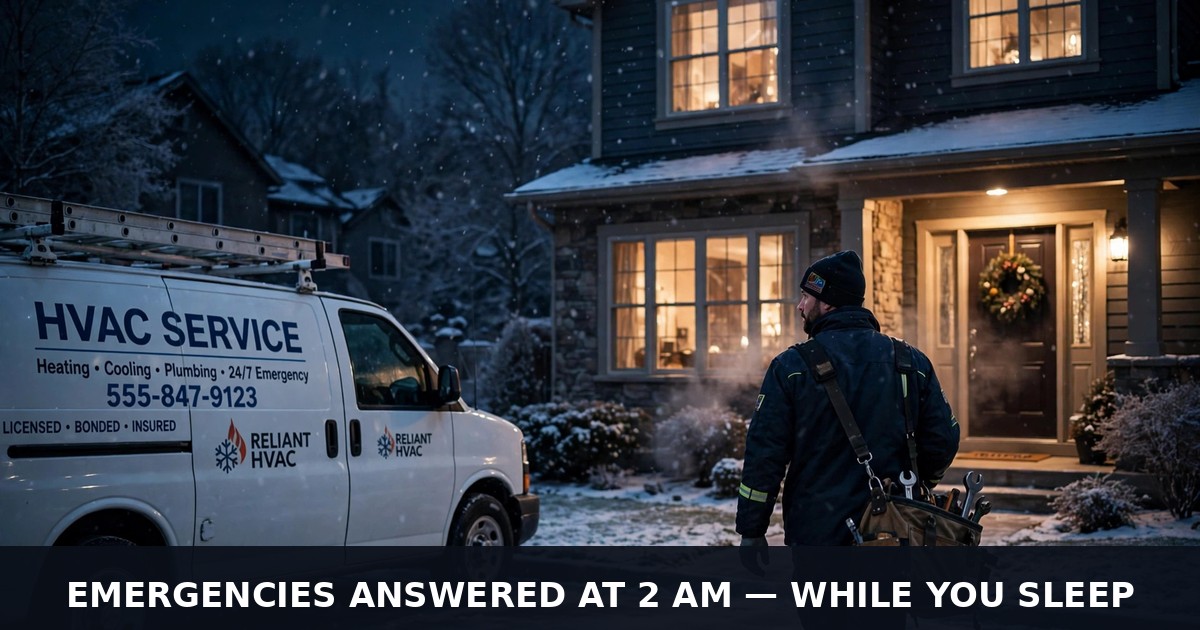
It is 2:07 in the morning. The furnace has gone silent, the house is dropping a degree every hour, and two kids are asleep under every blanket in the house. The dad does not call anyone — he knows nobody picks up at 2 AM. He opens WhatsApp and messages the first HVAC company whose number he can find.
You are asleep. Your on-call tech is asleep. Your office opens at eight. The dad's message sits unread until morning, and by eight he has already booked the company whose WhatsApp answered him at 2:09 — a company whose owner was also asleep, but whose automation was not.
That is how HVAC work really gets won: not by the best technician, but by the fastest answer — and the owner is usually under a house, on a roof, or asleep when the message arrives. WhatsApp automation makes sure the fastest answer is always yours, whether it is 2 AM in January or the hottest Saturday of July.
Quick answer: WhatsApp automation for HVAC companies replies to every customer message within seconds, day or night. It triages no-heat and no-cool emergencies with a few smart questions, books repair visits and seasonal tune-ups, fills maintenance plans, and asks for reviews after every job. It turns missed calls into booked work — while you are on the tools.
What WhatsApp automation actually is for an HVAC company
Think of it as a dispatcher who works every night shift, weekend, and holiday without ever calling in sick. When a customer messages your business WhatsApp, the assistant answers right away and holds a genuine conversation — never a dead-end "we will get back to you." It figures out the problem, gathers the details a tech actually needs, books the visit, or escalates the emergency to your on-call tech with the full story attached. People handle the judgment calls; the system handles everything else.
It runs on the official WhatsApp Business Platform — Meta's approved route for software that sends and receives WhatsApp messages. Your number stays protected, and you get capabilities the free app simply lacks: true two-way conversations, pre-approved message templates, and booking links. A word on the stack, because vendors gloss over it: the free WhatsApp Business app is fine for one phone and manual replies. Real automation needs the platform, reached either directly through Meta's Cloud API (cheapest, but you wire everything yourself), or through an approved provider (a BSP) that handles the plumbing for a monthly fee. The platform also has rules that matter for HVAC: businesses cannot just message anyone — the customer messages first, or you use an approved template, and there is a 24-hour window for free-form replies. Per-message costs exist and change, so confirm current Meta pricing before you budget.
Here is what it does for an HVAC business:
- Replies to every message within seconds, around the clock — nights, weekends, heat waves.
- Triages no-heat and no-cool emergencies with three or four smart questions.
- Books repair visits into your real calendar with confirmations and reminders.
- Fills maintenance plans and seasonal tune-ups with reminders and one-tap booking.
- Collects model-plate photos, filter sizes, and warranty details before the visit.
- Sends "your tech is on the way" updates with a live ETA.
- Asks for Google reviews after every completed job, automatically.
- Runs seasonal campaigns — the first freeze, the first heat wave — to your existing list.
The automation handles the conversation; your techs handle the equipment. That split is the whole point.
The 2 AM no-heat call: turning emergencies into booked jobs
HVAC emergencies follow a brutal pattern: the heat dies on the coldest night of the year or the AC quits on the first 100-degree Saturday, and each unanswered hour sends the customer further down the search results toward your competitor. The catch: "my heat is out" can mean very different jobs. A tripped breaker is a five-minute fix. A dead blower motor is a repair visit. A twenty-year-old furnace with a cracked heat exchanger is a replacement conversation — a five-figure job that goes to whoever showed up first and earned the trust.
Your automation sorts this with a short triage. Here is how the conversation flows:
Customer: Our heat just stopped working, house is getting cold! — Automation: I am sorry — let us get you sorted fast. First: is your thermostat screen lit up, or is it completely dark? — Customer: It is dark. — Automation: That is often a simple fix — dead thermostat batteries or a tripped breaker. Can you check the breaker panel for a switch labeled furnace or HVAC that looks tripped? — Customer: Found it — it was tripped, I flipped it back. — Automation: Great — if the heat comes back on in a few minutes, you are set. If it trips again or stays cold, I will book our on-call tech right now. Want me to hold a morning slot just in case? — Customer: Yes please.
Notice what happened: the customer got a real answer in under two minutes, at 2 AM, and you woke up to a booked morning slot — or a customer who fixed it themselves and now trusts you anyway. And the triage has a hard safety rule baked in: any mention of a gas smell, headaches, or a carbon monoxide alarm skips every question. The automation tells the customer to leave the house and call the gas utility or emergency services immediately, then flags your on-call tech with the address. A bot never diagnoses gas. That line is non-negotiable.
If most of your quotes die between the first message and the booking, our lead capture automation guide walks through the complete pipeline from first contact to confirmed job: lead capture automation guide
Triage that saves your on-call tech: the questions that matter
The difference between a useful triage and an annoying interrogation is asking only what changes the dispatch. For HVAC, five data points cover most calls: what the system is doing (no heat, no cool, blowing warm, strange noise, water leaking), the age of the equipment if the customer knows it, a photo of the model plate (the sticker inside the furnace or on the outdoor unit — techs read these like ID cards), whether there are red-flag symptoms (gas smell, burning smell, water near electrical parts), and the address with gate or access notes.
The model-plate photo is the quiet superpower. Customers cannot tell you the tonnage, the refrigerant type, or whether parts are still made for their unit — but a photo of the plate tells your tech all of it before the truck rolls. The automation asks for it naturally: "Can you snap a photo of the sticker on the unit? It is usually inside the furnace door or on the side of the outdoor box." Techs arrive knowing what they are walking into, which means fewer second trips and fewer "I will have to order the part" visits that kill your margins.
Two rules keep triage honest. First, the automation never prices a repair from "fix my AC" — any tech knows the real number depends on what is actually broken, and a wrong quote in writing destroys trust faster than any slow reply. It books the diagnostic visit and quotes only what you fixed in advance: the diagnostic fee, the tune-up price, the maintenance plan. Second, anything the triage cannot classify — commercial rooftop units, strange setups, customers who just sound scared — goes straight to a human with the full conversation attached. A bot that admits "I want our tech to see this one personally" earns more trust than a bot that guesses.
Maintenance plans and tune-up reminders: the recurring revenue engine
Every HVAC owner knows the best customer is not the 2 AM emergency caller — it is the maintenance plan member. Two tune-ups a year, priority scheduling, filters changed on time, and when the old furnace finally gives out, they buy the replacement from you without a second quote. Demand is not the problem; hassle is. The customer has to remember, call during business hours, and arrange their day around you — so half of them keep meaning to and never get around to it.
The automation removes every step that is not a decision. After a repair visit, it offers the plan: "Want us to keep this from happening again? Two tune-ups a year, priority booking, and you never think about the filter. It is one tap to join." The customer taps, picks spring and fall, and gets reminders with one-tap rescheduling when the date approaches. At the visit, the tech snaps the filter size into the record, so next year's reminder says "we will bring your 20x25x1 filters" instead of a generic nudge. Small details, big renewal rates.
Want this for your hvac companies?
ReplyPilot builds a custom whatsapp automation setup for your hvac companies — answering customer questions instantly, taking orders and bookings, and handing off to you when a human is needed.
Ask on WhatsApp — it's freeThe same system fills your shoulder-season calendar — the slow weeks in spring and fall when techs stand around. The automation messages plan members and last year's tune-up customers: "Fall tune-up season is open — grab your slot before the first freeze. Reply TUNEUP and I will book you." Dead weeks turn into booked weeks, no cold calls needed. For the opt-in and template rules behind these campaigns, see our broadcast playbook: WhatsApp broadcast marketing playbook
Seasonal campaigns: the first freeze and the first heat wave
HVAC is a weather business, and weather is a marketing calendar if you use it. When the forecast shows the first real freeze, the automation messages your customer list: "First freeze hits Thursday — is your furnace ready? Reply CHECK and we will fit you in before it does." When the first heat wave builds, the same list gets the AC version. These messages work because they arrive exactly when the customer is thinking about the equipment — not in a January newsletter nobody opens.
Two rules keep seasonal campaigns welcome instead of spammy. First, they go only to people who agreed to hear from you — customers and plan members — using approved templates, which keeps your number's quality rating green and your reputation clean. Second, every campaign has a real offer attached: a tune-up slot, a filter reminder, a priority booking window. "Just checking in" messages get ignored; "the freeze is Thursday and we have six slots left" gets replies. The companies that run these campaigns stop starting every season from zero.
Want this working for your HVAC company before the weather turns? Tell us about your services and season on WhatsApp, and we will configure an automation that answers while you are up on a roof: chat with ReplyPilot on WhatsApp
Review requests: why HVAC reviews matter more than most trades
Here is the quiet math of the HVAC business: a furnace replacement is a five-figure decision, and nobody makes a five-figure decision from a company with eleven reviews. When the heat dies at 2 AM, the customer picks from the top three results — and the one with two hundred recent reviews wins before anyone compares prices. Reviews are not vanity in this trade. They are the price of admission.
The automation asks at the only moment that works: right after the tech leaves and the house is warm again. "Your heat is back on — glad we could help. If you have thirty seconds, a Google review helps other families find us at 2 AM. Here is the link." The request arrives while the relief is fresh, takes thirty seconds, and goes to the exact customer instead of a dusty email list. Techs do nothing extra; the system knows the job closed and sends it.
This compounds. Every review makes the next emergency search cheaper to win — more calls from the same map pack, fewer paid clicks, and a reputation that lets you charge the diagnostic fee without apology. Companies that automate the ask collect in a year what manual asking collects in five. If missed calls are also costing you after hours, our guide to AI phone receptionists covers the voice side of the same problem: AI phone receptionist for small business
What it does NOT do (read this before you buy)
Straight talk first — no vendor puts this in their brochure. Automation cannot diagnose a dead compressor over chat, price a full system replacement from a model-plate photo, or declare a furnace safe. Anything involving gas, carbon monoxide, or electrical danger goes to a human at once, and a properly built setup refuses to guess. It will not find you customers by itself — it works the conversations you already get, so an empty inbox means you need visibility work first, not automation. And it runs on the prices you give it: change your diagnostic fee or tune-up rate and update the system the same day, or it will keep quoting the old numbers with complete confidence.
It also cannot replace human judgment with frightened or furious customers. A family with no heat and a newborn needs a real voice immediately — the system should push that conversation to your phone in seconds, not attempt comfort itself. Nor does it tidy a chaotic dispatch board: if your scheduling lives on sticky notes, fix the conversations first and the calendar second. Owners who get this division of labour — the system runs the routine, people own the exceptions — extract the full value. Owners waiting for magic end up disappointed.
Mistakes that kill HVAC automation
When HVAC automation fails, the causes are usually dull and fixable. Five patterns account for most of them.
Mistake one: letting the bot invent repair prices. A bot that promises $150 for a job that costs $900 once the panel comes off burns the customer instantly. Why it happens: nobody defined what the bot may price. The fix: it quotes only your fixed menu — diagnostic fee, tune-up, maintenance plan — and schedules a diagnostic visit for the rest.
Mistake two: no safety red-flag path. A customer mentions a gas smell and the bot asks "what is your address for booking?" Root cause: nobody wrote the emergency rule. Fix: gas smell, burning smell, CO alarm — the bot stops triaging instantly, gives the leave-and-call-utility script, and pages your on-call tech with the address. Test this path monthly.
Mistake three: broadcasting to everyone like they are subscribers. Firing "fall tune-up special!" at people who only signed up for service reminders gets your number flagged quickly. Why it happens: mistaking a customer list for a marketing audience. The fix: service updates for all customers, promotions strictly for those who opted in — and a weekly glance at your quality rating.
Mistake four: no escape hatch to a human. A customer with a genuine emergency circles in a bot loop and cannot reach you. Why it happens: nobody built the "talk to a person" exit. The fix: every flow offers a human handoff, and those handoffs land on a phone you genuinely monitor — not a forgotten inbox.
Mistake five: launching at peak season and disappearing. The first month needs ten minutes of your day reading real conversations — correcting answers, adding the questions customers truly ask, drilling in your actual prices. Why it happens: set-and-forget thinking. The fix: coach it through one real month, then let it run. Companies that skip the coaching blame the software; companies that do it end up with a dispatcher that reads like their best hire.
DIY vs hiring a developer vs done-for-you
You have three routes to get there. The DIY route means a monthly tool subscription plus two or three afternoons of your time: connecting your number via the official platform, writing the triage flows, loading your fixed prices, and testing with genuine messages. Suits owners who are handy with software and can spare a quiet shoulder-season week. The trap: a half-finished setup abandoned when the first heat wave hits.
A freelance build means a one-time project fee on top of the monthly tool cost, in exchange for tailored flows, calendar integration, and your plan-member list wired in. Suits companies with special requirements — commercial contracts, several crews, custom dispatch logic. The trap: a builder who vanishes after launch, leaving a system nobody can fix when it fails at 2 AM in January.
The done-for-you route means a specialist builds the whole thing, trains it on your services and pricing, writes the safety rules alongside you, pressure-tests it with real customer questions, and watches it through the first season. Zero afternoons from you. Suits owners who live on rooftops — which describes most HVAC owners. The trap: any provider who cannot show genuine conversation examples from previous work. If the platform setup itself is the confusing part, our step-by-step guide covers it: WhatsApp Business API setup guide
Our candid view: a quiet week plus a taste for figuring out software makes DIY worthwhile — you will learn precisely what your business needs. But if you are quoting jobs from a rooftop while the season is already underway, done-for-you earns its fee the first night it handles the 2 AM no-heat call in your sleep.
Getting started this week
Roll it out in five moves. First, list your fixed menu — diagnostic fee, tune-up price, plan tiers — using the genuine figures, not ranges you would refuse to honour. Second, choose your stack — direct Cloud API or an approved provider — and move your business number onto the official platform. Third, build the three flows that carry the weight: emergency triage with the safety rule, tune-up and plan signup, and tech-on-the-way updates. Fourth, draft the seasonal campaign templates and get them approved ahead of time. Fifth, hammer it with twenty real test messages, repair what breaks, then launch.
After a month, look at three figures. First, containment: what share of conversations finished without your involvement? Most of them is healthy — if half get escalated, your triage wording or pricing needs work, not the platform. Second, plan growth: how many maintenance signups arrived via WhatsApp compared with last month? Plan members compound like interest in this trade. Third, review velocity: are the automatic post-job requests converting into Google reviews? Then run the free test: message your own business at 9 PM posing as a stranger with no heat. A visit booked inside two minutes means the system works; loops, stalls, or invented prices mean the content needs fixing, not the tool.
Over the next five years, the HVAC companies that pull ahead will not be the ones with the biggest fleets. They will be the ones whose customers never sit waiting for a reply — at 2 AM, during the first freeze, on the hottest Saturday of July. The telephone used to award the job; now the quickest response does.
Want WhatsApp automation for your HVAC company — emergency triage, tune-up bookings, fuller maintenance plans, automatic review requests — designed, trained, and tested around your business? Take a free custom demo and see your own company answering customers before you spend anything: get a free custom demo
Frequently asked questions
How much does WhatsApp automation cost for an HVAC company? Expect a monthly software subscription; the true figure hinges on message volume and your route — direct Cloud API or an approved provider. A single-crew outfit typically spends from the low tens up to roughly a hundred dollars a month, everything included. Pin down what counts as a billable message before you sign, and re-check current pricing since providers revise it. A single rescued emergency call normally pays for the whole month.
Can WhatsApp automation really handle a 2 AM no-heat emergency? Yes — this is its highest-value job for HVAC companies. It answers in seconds, runs the triage (thermostat, breaker, red-flag symptoms), books the on-call visit or holds a morning slot, and pages your tech with the full details. Safety red flags like gas smells skip the triage entirely and trigger the emergency script plus an immediate human alert.
What is the difference between the WhatsApp Business app and the Business Platform? The free app is a phone app for manual replies — fine for one person answering by hand. The Business Platform is the official API route that lets software send and receive messages: instant replies, templates, booking flows, and automation. The moment you want a system answering for you, the platform is the approved path that keeps your number safe.
Will my older customers use WhatsApp to book HVAC work? It is the gentlest channel for exactly this audience — nearly all of them already message family on it every day. No downloads, no new app, no learning curve: anyone who can send a text can report no heat and arrange a visit. And nothing changes for customers who prefer ringing you — the automation takes the messages while your phone keeps ringing.
Do I need to change my phone number to use WhatsApp automation? No. You migrate your existing business number to the platform, and customers keep messaging the number they already know. Plan the migration for a quiet day — the number cannot be on the app and the platform at the same time — and tell customers nothing needs to change on their end.